Skip to content

Machine down? The floor keeps running.

Real-time production monitoring and automatic rescheduling. Reroutes work automatically the moment a machine fails, with no manual rescheduling.

A working manufacturing execution system (MES) simulator built by Tenzan Logic. All production data on screen is simulated.

Free. Runs in your browser. Nothing to install.

$33.6K
Saved per incident
2MIN
Auto-response
8 · 18
Machines · Operations
REAL_IMPACT

Downtime cost
$72K per hour

When a machine fails, Millwright moves its jobs off the failed machine and spreads them across the rest of the floor. This is what that response time is worth.

Manual planning $36,000 loss
30MIN
Millwright auto-response $2,400 loss
2MIN
Saved per incident
$33,600

Modeled scenario with illustrative industry assumptions: 600 units/hr at $120 per unit, $72,000/hr downtime, response 28 minutes faster.
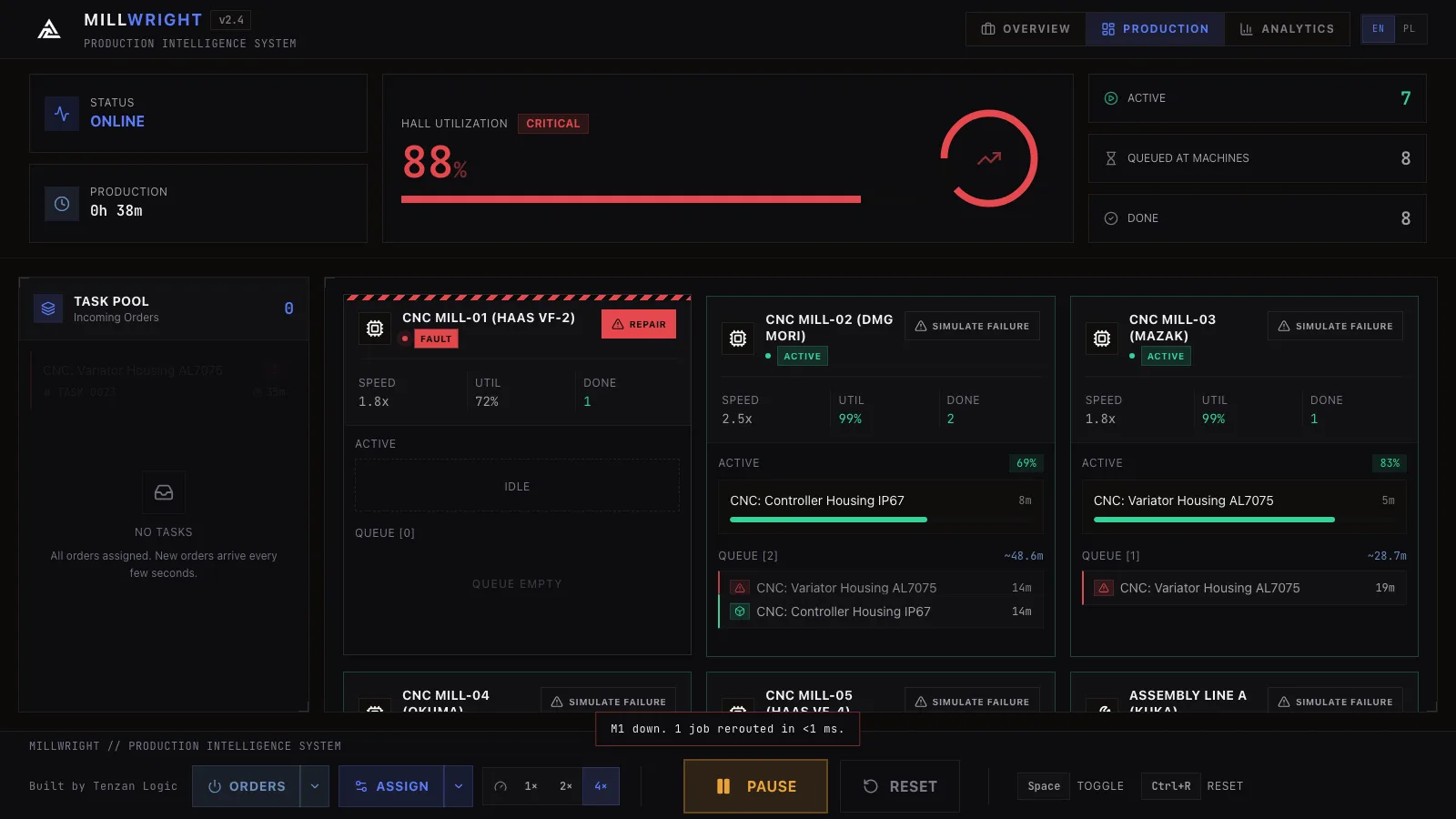
Millwright production view during a machine failure: FAULT state on one machine, work rerouted to the rest of the floor
INTELLIGENT_PLANNING

Real-time
control

Live status, queue, and utilization for every machine on the floor.

Machines · 8
5x CNCHaas VF-2 · DMG MORI · Mazak · Okuma · Haas VF-4
2x ASSEMBLYKuka Robot · Fanuc Robot
1x TESTEOL Station
Operations · 18 types
Milling Drilling Threading Boring Facing Chamfering Assembly Welding Wiring Testing Calibration Packaging +6 more
  • MCT-S
    When a machine goes down, its jobs are automatically reassigned to other machines. No manager has to work out a new schedule by hand.
  • Job Priority
    Every job is ranked by urgency, then sent to whichever machine can finish it soonest (factoring in setup and travel time between stations). Critical jobs jump the queue first, then rush orders, then standard work.
  • Parameter Monitoring
    Instant detection the moment a parameter drifts out of range.
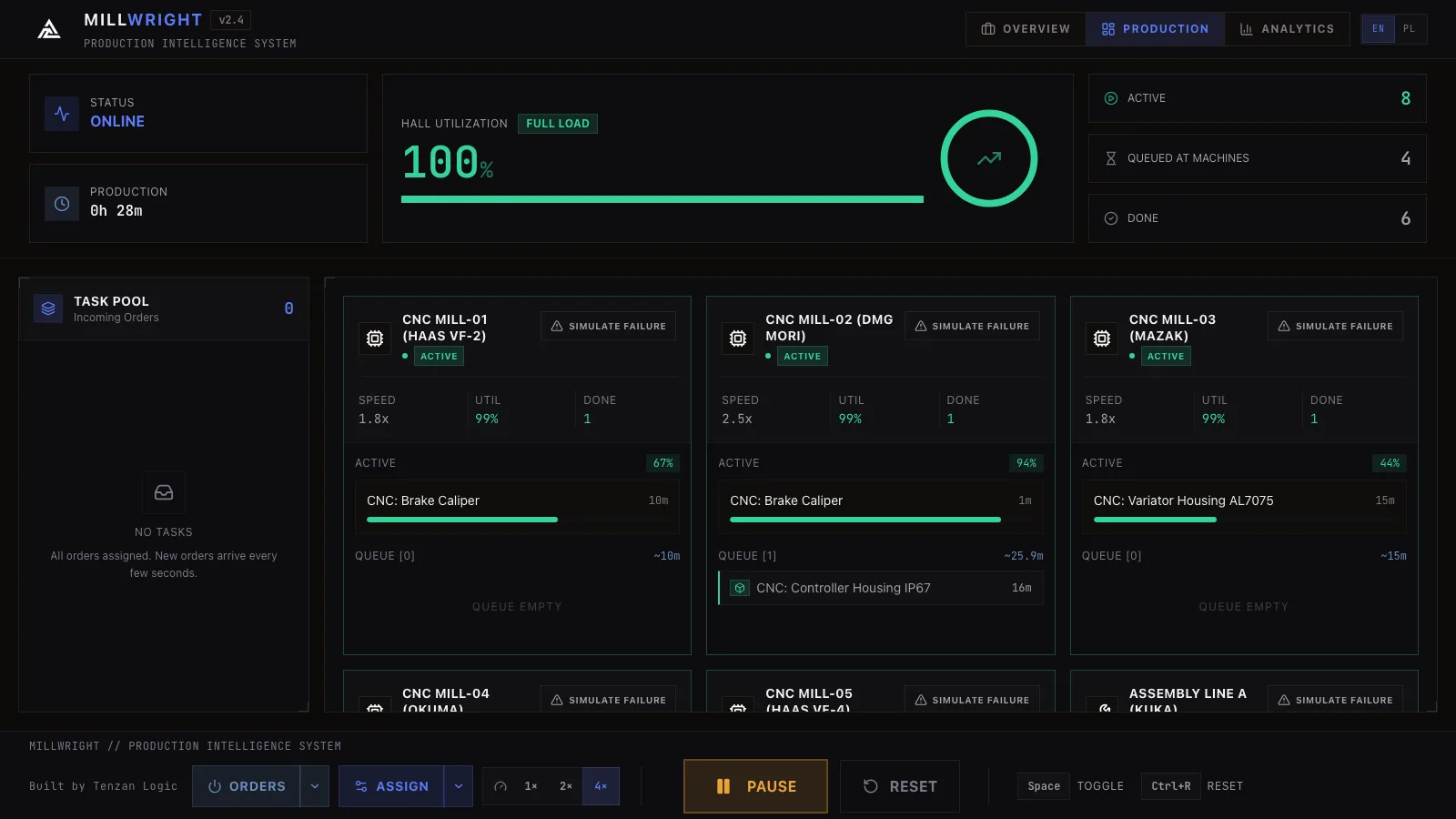
Millwright dashboard tracking 8 machines in real time
ANALYTICS_MODULE

Analytics
dashboard

Time-filtered reports. Track floor load, task throughput, and failure trends on live, interactive charts.
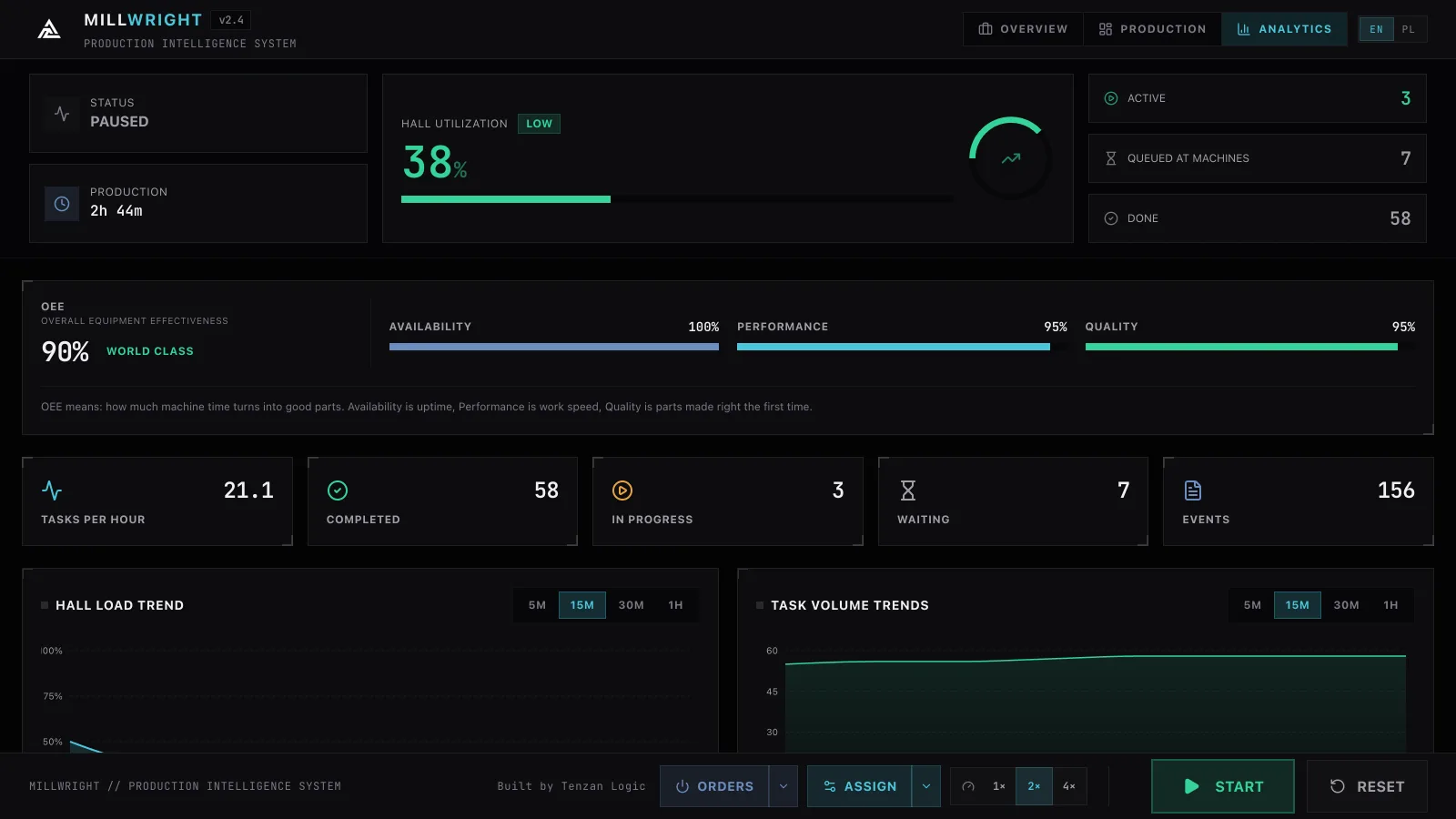
3 Interactive Charts
Floor Load Trend, Task Throughput, Machine Utilization. Everything updated live
Alert Routing & Event Log
Alerts go to the right people: 9 event types, 4 recipient groups (Technicians, Supervisors, Managers, QC Team)
Export & Archiving
Full event history as a CSV file, so you can run audits and compliance reports offline
Millwright analytics view with hall load, task volume, and machine utilization charts
SYSTEM_CAPABILITIES

Reliability
at any scale

Add machines and shifts. The response time stays the same.

Failure Simulation

Simulate a machine failure in the demo and see what the downtime costs, and what a fast response saves.

Smart Scheduling

Constantly recalculates the fastest way to finish every job on the floor, factoring in setup time and distance between machines. Runs instantly even with a full day of work queued.

Security Layer

Runs entirely in your browser: no production data ever leaves your machine. Full event log of every operation, exportable to CSV.

FREQUENTLY_ASKED

Common questions

How fast does Millwright react when a machine goes down?
Millwright reroutes affected tasks automatically the moment a machine fails. No manager has to build a new schedule by hand.
What machines and processes does it track?
5x CNC, 2x Assembly, and 1x Test station across 18 operation types, with live status and utilization data for every machine.
Do I have to change how my floor runs today?
Nothing changes: Millwright is a working simulator that demonstrates how a rescheduling layer sits on top of a running floor. In the demo, jobs keep flowing as normal and MCT-S only steps in to reroute work when a machine fails or the schedule needs rebalancing.
How is the savings estimate calculated?
From a modeled scenario with illustrative industry assumptions: manual replanning after a failure takes about 30 minutes, Millwright responds in about 2 minutes, saving roughly $33,600 per incident at $72K/hour throughput.
Is our production data secure?
There is no real production data here: everything on screen is simulated. The demo runs entirely in your browser, nothing is sent to any server, and the simulator keeps a full event log of every operation, exportable to CSV.
Does it slow down as we add machines or shifts?
No. It's built to run the same whether you're monitoring one production line or twenty.
Built by Tenzan Logic